Supabase Row Level Security (RLS) in FlutterFlow: The Comprehensive Engineering Guide
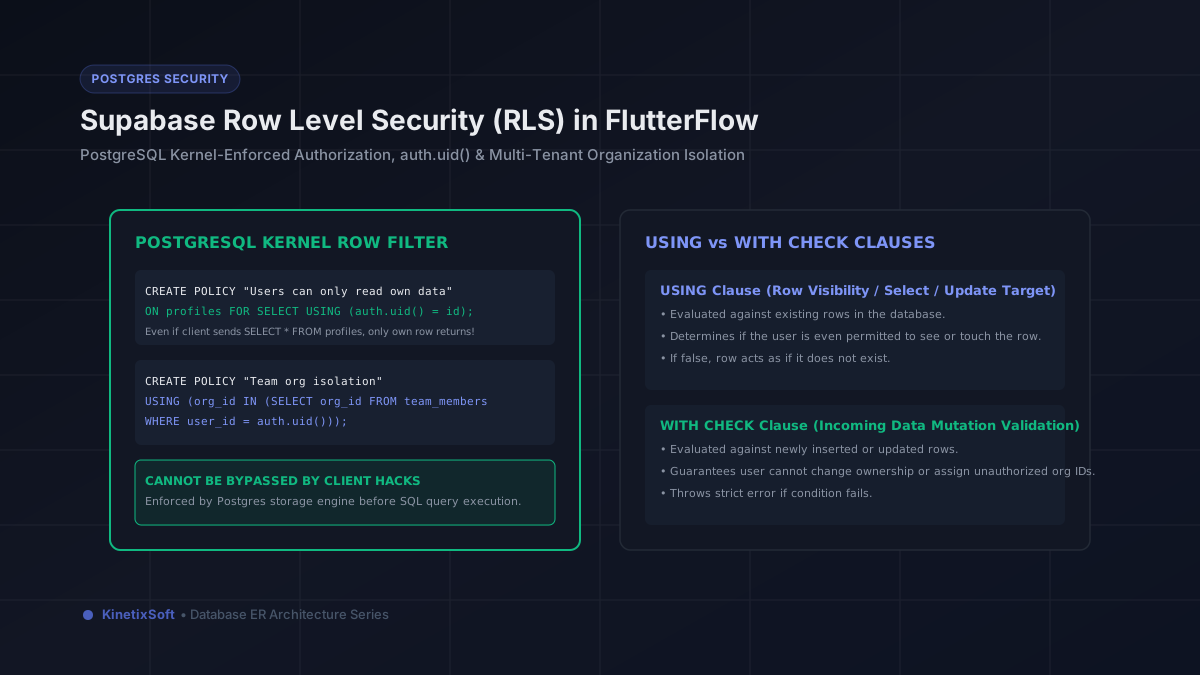
Over the past two years, Supabase has experienced explosive adoption within the FlutterFlow ecosystem. Founders and enterprise developers love combining FlutterFlow's rapid visual mobile builder with Supabase's open-source PostgreSQL powerhouse: relational foreign keys, PostGIS geospatial queries, vector embeddings for AI, and full SQL power.
However, connecting a mobile app directly to Supabase via PostgREST introduces a critical security reality: the client talks directly to PostgreSQL over REST and WebSockets. If a table does not have Row Level Security (RLS) enabled, anyone with your public Supabase Anon key can open a terminal, run curl https://your-project.supabase.co/rest/v1/orders, and dump every single record in your database.
In this engineering deep dive, we cover everything FlutterFlow developers need to know about Row Level Security (RLS), from foundational concepts to battle-tested multi-tenant SQL policies and performance optimization.
1. What is PostgreSQL Row Level Security (RLS)?
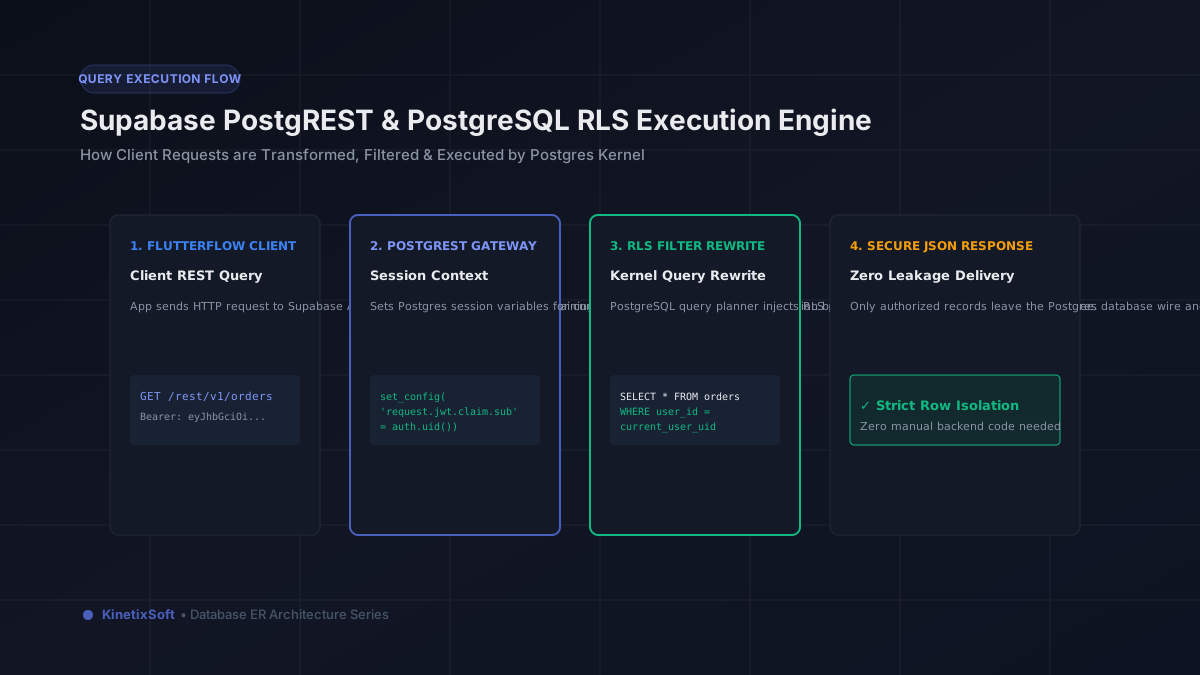
In traditional web development, security is applied at the application server level: an Express, Django, or Rails API controller authenticates the session, executes a query with a WHERE user_id = current_user clause, and returns the result. In modern client-to-database architectures like FlutterFlow + Supabase, there is no custom middle-tier server. Instead, the PostgreSQL kernel itself acts as the authorization engine.
When Row Level Security is enabled on a table, PostgreSQL evaluates security policies on every single row before returning data or allowing an insert, update, or delete. Even if a user sends a malicious query like SELECT * FROM sensitive_documents, PostgreSQL silently injects the RLS policy into the query execution tree. The user only ever sees rows they are cryptographically authorized to view.
2. The Essential Anatomy of an RLS Policy
To enable RLS on any table, you execute two SQL statements in the Supabase SQL Editor:
-- 1. Enable RLS on the table (locks all rows by default)
ALTER TABLE public.user_profiles ENABLE ROW LEVEL SECURITY;

-- 2. Create an explicit policy
CREATE POLICY "Users can only read own profile"
ON public.user_profiles
FOR SELECT
TO authenticated
USING (auth.uid() = id);
Let's dissect the components of this policy:
• Target Role (TO authenticated): Specifies who the policy applies to. Supabase provides two primary roles: anon (unauthenticated visitors) and authenticated (users who signed in via Supabase Auth). Always restrict sensitive tables to authenticated.
• Operations (FOR SELECT / INSERT / UPDATE / DELETE / ALL): While beginners often write FOR ALL, production systems should declare separate policies for each CRUD verb. A user should be able to view their order history (SELECT), but only an automated webhook should be able to update payment status.
• The auth.uid() function: Supabase provides the special SQL helper auth.uid(), which extracts the user ID directly from the validated JSON Web Token (JWT) sent in the HTTP request header. It cannot be spoofed by modifying local device state.
3. The Crucial Distinction: USING vs. WITH CHECK
One of the most frequent causes of broken Supabase policies in FlutterFlow apps is confusing the USING clause and the WITH CHECK clause:
1. The USING clause: Evaluates existing rows currently in the table. It determines whether a row is visible for a SELECT, or eligible to be modified during an UPDATE or DELETE. If USING evaluates to false, the row is invisible to the user.
2. The WITH CHECK clause: Evaluates new rows being inserted (INSERT) or the proposed new values being written during an UPDATE. If WITH CHECK evaluates to false, the transaction is rejected with an error.
Here is how they work together in an update policy that prevents users from stealing ownership of another user's document:
CREATE POLICY "Users can update own tasks without changing owner"
ON public.tasks
FOR UPDATE
TO authenticated
USING (auth.uid() = user_id)            -- Must own the task to touch it
WITH CHECK (auth.uid() = user_id);       -- Cannot reassign user_id to someone else
4. Production RLS Policy Recipes for FlutterFlow Apps
Recipe A: Multi-Tenant Team & Organization Isolation
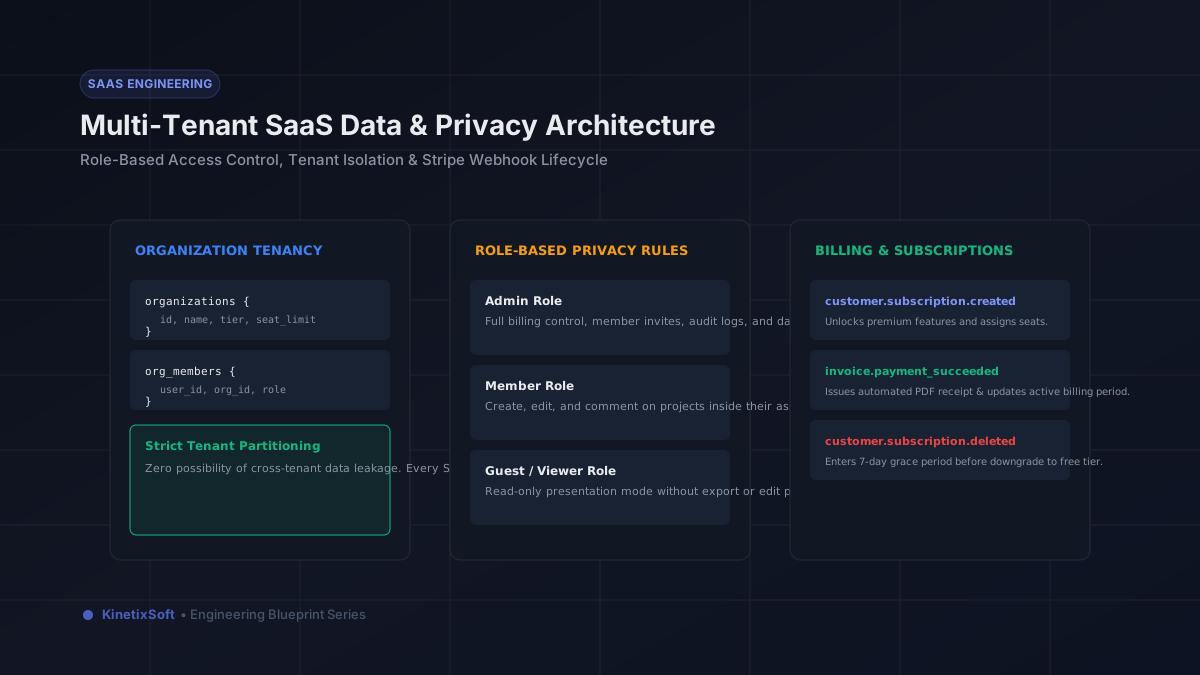
In team collaboration, CRM, or B2B SaaS apps, records belong to an organization (org_id). Users should see all records belonging to their active organization:
-- Helper function with SECURITY DEFINER to avoid recursive policy loops
CREATE OR REPLACE FUNCTION public.get_user_org_ids()
RETURNS SETOF uuid
LANGUAGE sql
SECURITY DEFINER
STABLE
AS $$
  SELECT org_id FROM public.organization_members
  WHERE user_id = auth.uid();
$$;

-- Policy on team resources table
CREATE POLICY "Team members can view organization resources"
ON public.resources
FOR SELECT
TO authenticated
USING (org_id IN (SELECT public.get_user_org_ids()));
Notice the use of a SECURITY DEFINER function. Querying organization_members directly inside an RLS policy can cause infinite recursive loops if organization_members also has RLS enabled. Encapsulating the lookup inside a cached SECURITY DEFINER function solves this cleanly.
Recipe B: Role-Based Access Control (RBAC)
Allowing regular members to view projects, while restricting project deletion to users with an admin role:
CREATE POLICY "Admins can delete team projects"
ON public.projects
FOR DELETE
TO authenticated
USING (
  EXISTS (
    SELECT 1 FROM public.organization_members
    WHERE organization_members.org_id = projects.org_id
      AND organization_members.user_id = auth.uid()
      AND organization_members.role = 'admin'
  )
);
Recipe C: Secure Storage Bucket RLS Policies
Supabase Storage uses PostgreSQL RLS on the storage.objects table to govern who can upload and download files. Here is how to configure a private user document bucket:
-- Users can only upload into their own folder (/user_id/filename)
CREATE POLICY "User folder upload policy"
ON storage.objects
FOR INSERT
TO authenticated
WITH CHECK (
  bucket_id = 'user-vault' AND
  (storage.foldername(name))[1] = auth.uid()::text
);

-- Users can only download files from their own folder
CREATE POLICY "User folder read policy"
ON storage.objects
FOR SELECT
TO authenticated
USING (
  bucket_id = 'user-vault' AND
  (storage.foldername(name))[1] = auth.uid()::text
);
5. Critical Performance Rule: Always Index RLS Columns!
Because PostgreSQL evaluates your RLS policy on every single row scan, poorly indexed RLS policies will severely degrade database performance as your FlutterFlow app scales.
If your policy reads USING (user_id = auth.uid()), PostgreSQL must perform an index lookup on user_id. If user_id is unindexed, PostgreSQL will execute a sequential table scan across hundreds of thousands of rows for every query! Always create indexes on columns referenced in RLS policies:
-- Mandatory performance index for RLS columns
CREATE INDEX idx_orders_user_id ON public.orders(user_id);
CREATE INDEX idx_resources_org_id ON public.resources(org_id);
CREATE INDEX idx_org_members_lookup ON public.organization_members(user_id, org_id);
6. The 4 Fatal Supabase Security Sins in FlutterFlow
1. Forgetting to execute ENABLE ROW LEVEL SECURITY: Creating a table in the Supabase SQL editor does not enable RLS automatically unless you check the box or run the SQL command. An un-RLSed table is completely exposed to anyone with your Anon key.
2. Exposing the Service Role Key: In FlutterFlow's Supabase settings, you are asked for your Project URL and API Key. You must ONLY enter your Anon Public Key. Never, under any circumstances, place your service_role secret key into FlutterFlow. The service role key bypasses all RLS policies entirely.
3. Using client queries for sensitive financial calculations: Never calculate account balances or discount rates on the client and update the row directly. Use PostgreSQL Functions (RPC) with SECURITY DEFINER or database triggers to mutate sensitive monetary fields server-side.
4. Inefficient subqueries without caching: Writing complex correlated subqueries inside an RLS policy can slow query execution from 10ms to 2,000ms. Keep policy predicates simple and lean on indexed columns and helper functions.
Launch Your FlutterFlow App with Confidence
Combining FlutterFlow's visual agility with PostgreSQL's ironclad Row Level Security allows startups to ship enterprise-grade mobile software in weeks instead of months. At KinetixSoft, we design and implement production database schemas with rigorous RLS policies, automated SQL migrations, and load-tested query plans.
Building a commercial app with FlutterFlow and Supabase? Book a free technical consultation with our engineering team to review your database architecture.
Planning to build an app like this?
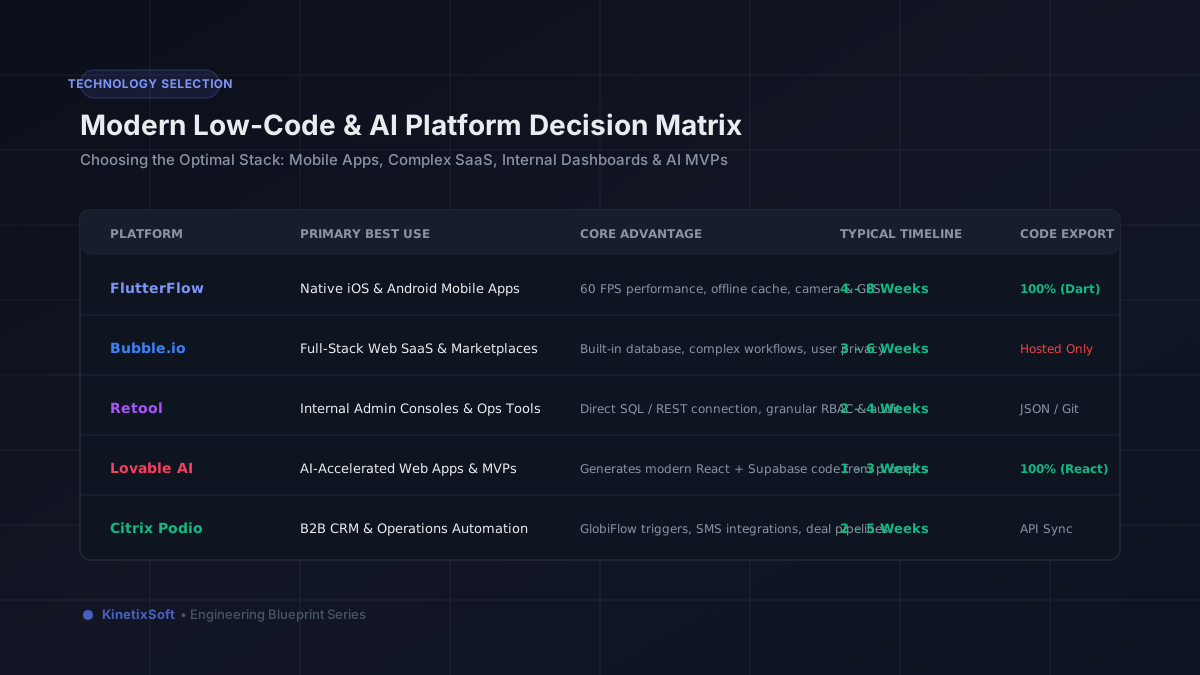
KinetixSoft designs, builds, and launches production-grade mobile and web applications on FlutterFlow, Bubble, Retool, Lovable, and Podio. We deliver 40–60% faster and more affordably than traditional agencies.
Book a Free Scoping CallRelated Guides & Articles
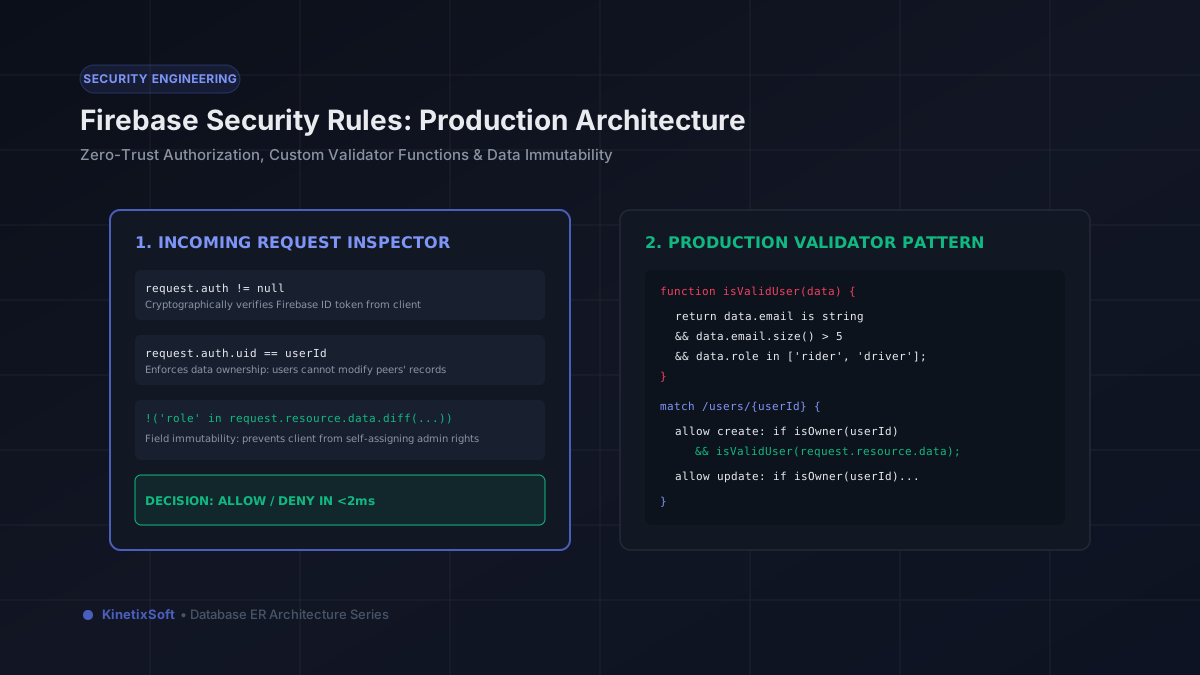
Mastering Firebase Security Rules in FlutterFlow: Complete Production Implementation Guide
How to Build a Wellness App with FlutterFlow in 2026: Architecture, Features & Use Cases