Mastering Firebase Security Rules in FlutterFlow: Complete Production Implementation Guide
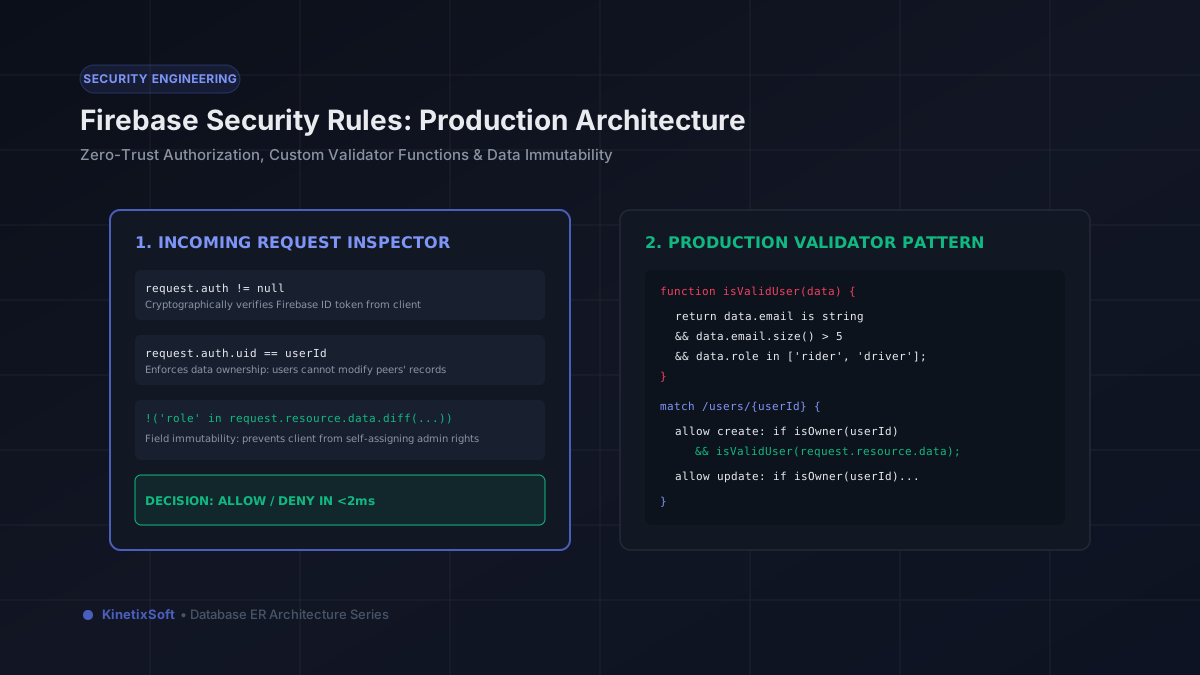
One of the most dangerous misconceptions in low-code mobile development is assuming that UI constraints protect your backend data. If you disable a "Delete Account" button in FlutterFlow or hide an "Admin Settings" screen from standard users, your application feels secure to an everyday user. However, any client device running a compiled Flutter APK or iOS IPA can be inspected. A malicious actor can extract your Firebase project credentials in seconds, connect to your Firestore database directly via the REST or mobile SDK, and execute arbitrary read, write, update, or delete commands.
In FlutterFlow applications, Firebase Security Rules are not optional optimization—they are your sole line of defense. Without strict security rules, your database is effectively public. In this comprehensive guide, we unpack the exact architecture, validator patterns, and production-tested security rules we deploy at KinetixSoft to secure commercial FlutterFlow apps.
1. Core Architecture: How Firestore Evaluates Security Rules
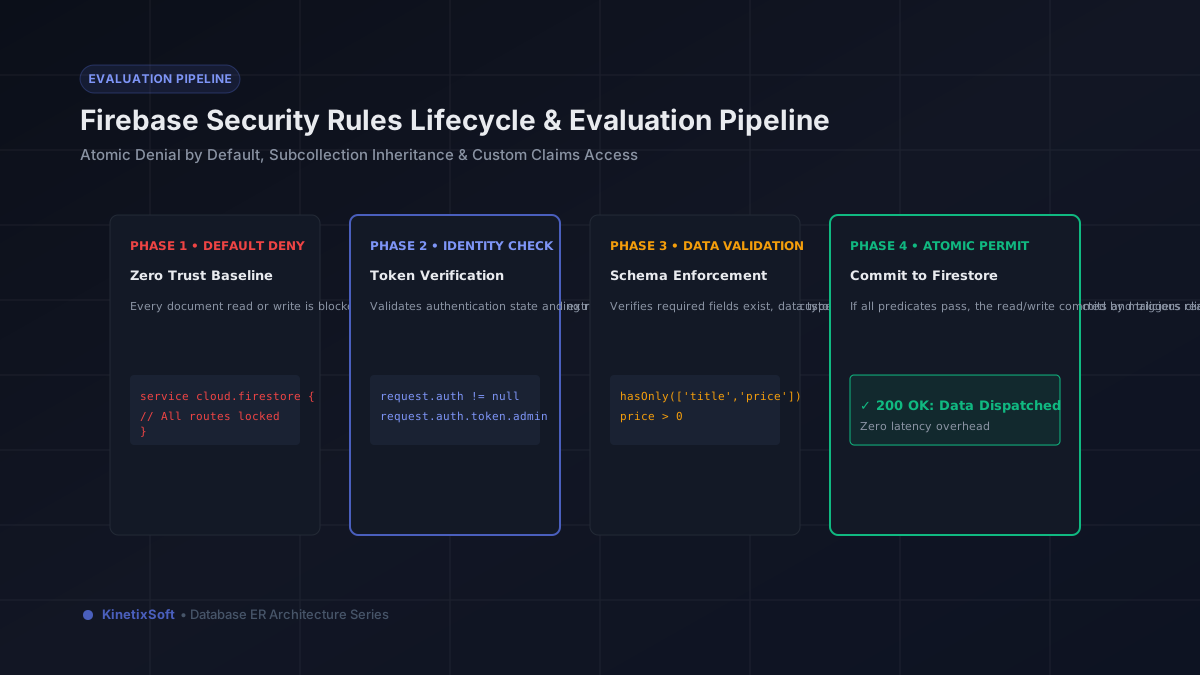
Cloud Firestore security rules execute on Google's cloud infrastructure before any query touches the storage engine. Understanding how rules evaluate is critical to avoiding unintended security holes:
1. Atomic Denial by Default: Firestore rules follow a strict zero-trust model. If no rule explicitly evaluates to true for a given path and operation, access is denied automatically.
2. Rules are not filters: When querying a collection (e.g., queryCollection(users) in FlutterFlow), Firestore evaluates the security rule against your query, not individual documents. If a user queries for all documents in a collection, but the security rules state they may only read their own document, Firestore fails the entire request immediately with a permission-denied error. Queries must mirror the exact constraints declared in security rules.
3. Granular Operation Granularity: Rather than relying on broad read and write statements, production rules separate permissions into distinct operations:
• read consists of get (fetching a single document by ID) and list (performing collection queries or fetching subcollections).
• write consists of create (inserting a new document), update (modifying an existing document), and delete (removing a document).
4. Context Objects: Every rule has access to two crucial context objects:
• request.auth: The authenticated user's credentials (including request.auth.uid, email verification state, and custom JWT claims).
• resource.data: The existing document data currently in Firestore (available during get, update, and delete).
• request.resource.data: The proposed incoming document data that would be written if the request succeeds (available during create and update).
2. The Modular Validator Function Pattern
Writing inline rules for every collection creates repetitive, error-prone code. At KinetixSoft, we use a structured Validator Function Pattern at the top of firestore.rules that establishes reusable security building blocks:
rules_version = '2';
service cloud.firestore {
  match /databases/{database}/documents {

    // --- Core Authentication Helpers ---
    function isAuthenticated() {
      return request.auth != null;
    }

    function isOwner(userId) {
      return isAuthenticated() && request.auth.uid == userId;
    }

    function isAdmin() {
      return isAuthenticated() &&
        (request.auth.token.email.matches('.*@kinetixsoft[.]com$') ||
         request.auth.token.admin == true);
    }

    // --- Immutability & Schema Helpers ---
    function isFieldUnchanged(fieldName) {
      return !(fieldName in request.resource.data) ||
        request.resource.data[fieldName] == resource.data[fieldName];
    }

    function hasOnlyAllowedFields(fields) {
      return request.resource.data.keys().hasOnly(fields);
    }

    function hasAllRequiredFields(fields) {
      return request.resource.data.keys().hasAll(fields);
    }
  }
}
These modular helpers allow you to write clean, auditable security rules that make human review fast and eliminate copy-paste vulnerabilities.
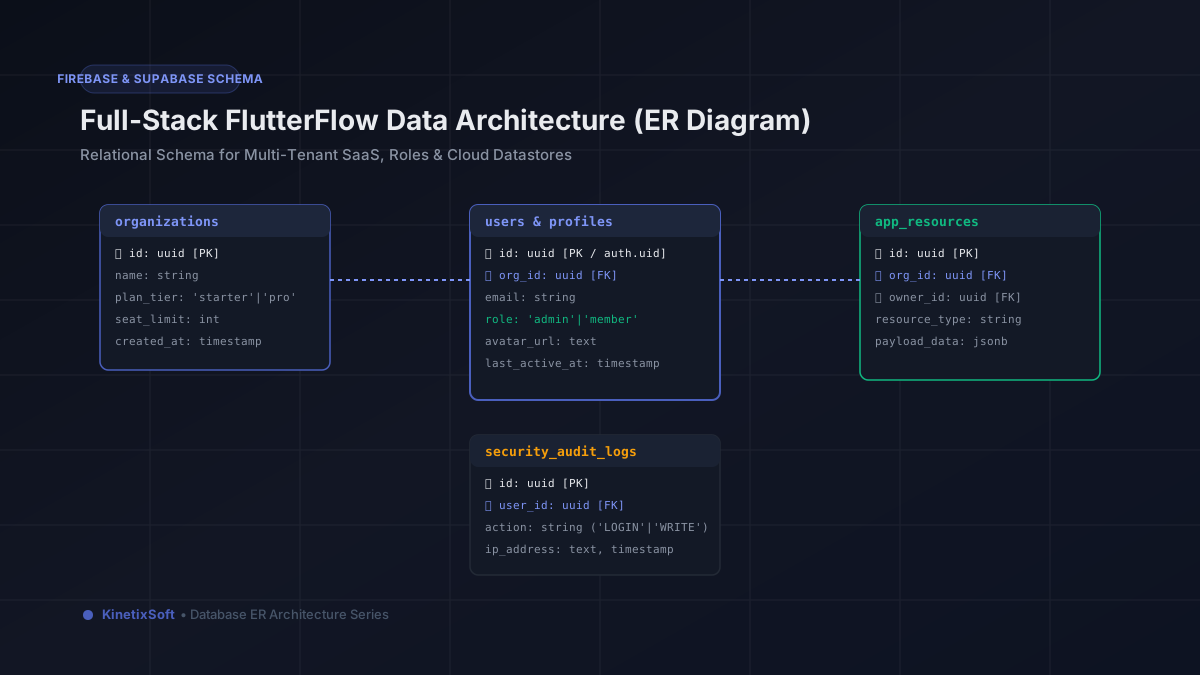
3. Production Rule Implementation: Real-World Scenarios
Let's look at how to protect common data structures found in commercial FlutterFlow applications:
Scenario A: User Profiles & Preventing Self-Promoted Admin Privilege
One of the most catastrophic security flaws in FlutterFlow apps is allowing users to update their own profile document without field restrictions. If a user document contains { role: "member", is_premium: false }, an attacker can send an update setting { role: "admin", is_premium: true }. Here is how to prevent privilege escalation:
match /users/{userId} {
  // Anyone authenticated can read basic public profile info
  allow get: if isAuthenticated();
  allow list: if isAdmin();

  // Users can only create their own document matching their Auth UID
  allow create: if isOwner(userId)
    && request.resource.data.id == userId
    && request.resource.data.role == 'member'
    && request.resource.data.is_premium == false;

  // Users can update display info, but CANNOT modify role, subscription, or UID
  allow update: if isOwner(userId)
    && isFieldUnchanged('id')
    && isFieldUnchanged('role')
    && isFieldUnchanged('is_premium')
    && isFieldUnchanged('stripe_customer_id');

  // Deletion reserved for admin or cloud functions
  allow delete: if isAdmin();
}
Scenario B: Multi-Tenant Team Organizations
In B2B SaaS or collaborative apps, users belong to organizations or teams. A user in Organization A must never view or edit documents belonging to Organization B:
match /organizations/{orgId} {
  function isOrgMember() {
    return isAuthenticated() &&
      exists(/databases/$(database)/documents/organizations/$(orgId)/members/$(request.auth.uid));
  }

  function getOrgRole() {
    return get(/databases/$(database)/documents/organizations/$(orgId)/members/$(request.auth.uid)).data.role;
  }

  allow read: if isOrgMember();
  allow update: if isOrgMember() && getOrgRole() in ['admin', 'owner'];
}
Scenario C: Subcollections (e.g., Private Chat Messages)
For instant messaging or customer support chats, messages should only be readable by active participants in the conversation:
match /chat_rooms/{roomId} {
  allow read: if isAuthenticated() && (request.auth.uid in resource.data.participant_uids);

  match /messages/{messageId} {
    allow read: if isAuthenticated() &&
      (request.auth.uid in get(/databases/$(database)/documents/chat_rooms/$(roomId)).data.participant_uids);

    allow create: if isAuthenticated() &&
      (request.auth.uid in get(/databases/$(database)/documents/chat_rooms/$(roomId)).data.participant_uids) &&
      request.resource.data.sender_id == request.auth.uid &&
      request.resource.data.text is string &&
      request.resource.data.text.size() > 0 &&
      request.resource.data.text.size() <= 2000;
  }
}
4. Firebase Cloud Storage Security Rules
Securing Firestore alone is insufficient if your app handles file uploads (profile photos, receipts, audio files, documents). By default, Firebase Storage rules are either completely open or completely closed. Here is a production-grade storage.rules configuration:
rules_version = '2';
service firebase.storage {
  match /b/{bucket}/o {

    // User avatars: must be image, under 5MB, uploaded by owner
    match /users/{userId}/avatar/{fileName} {
      allow read: if true;
      allow write: if request.auth != null
        && request.auth.uid == userId
        && request.resource.size < 5 * 1024 * 1024
        && request.resource.contentType.matches('image/(jpeg|png|webp)');
    }

    // Confidential invoice attachments: authenticated owner only
    match /invoices/{userId}/{invoiceId}/{fileName} {
      allow read, write: if request.auth != null
        && request.auth.uid == userId
        && request.resource.size < 10 * 1024 * 1024
        && request.resource.contentType.matches('application/pdf');
    }
  }
}
5. Step-by-Step Workflow: Implementing Rules in FlutterFlow
FlutterFlow provides a built-in Firestore Rules tab under Settings > Firestore Rules. Here is our recommended engineering workflow:
Step 1: Define Collection Permissions in FlutterFlow. In the FlutterFlow Firestore Content Manager, assign baseline permissions (Everyone, Authenticated Users, Tagged Users, Document Creator). This generates initial rule stubs.
Step 2: Sync to GitHub Repository. If you use FlutterFlow's GitHub integration, the generated firestore.rules file commits directly to your codebase. This allows your senior backend developers to implement advanced validator functions, field immutability checks, and subcollection logic that FlutterFlow's UI does not express natively.
Step 3: Automated Unit Testing with Firebase Emulator. Never deploy security rules directly to production without automated test verification. Using the @firebase/rules-unit-testing package, we write programmatic assertions that test both allowed and denied operations:
test("unauthenticated user cannot read private profiles", async () => {
  const db = testEnv.unauthenticatedContext().firestore();
  await assertFails(getDoc(doc(db, "users/user_123")));
});

test("user cannot change their own subscription status", async () => {
  const db = testEnv.authenticatedContext("user_123").firestore();
  await assertFails(updateDoc(doc(db, "users/user_123"), { is_premium: true }));
});
Step 4: Continuous Deployment via Firebase CLI. Deploy rules reliably using firebase deploy --only firestore:rules,storage from your CI/CD pipeline, ensuring rules remain in sync across staging and production environments.
6. The 5 Most Fatal Security Rules Mistakes
1. Leaving test rules active: allow read, write: if request.time < timestamp.date(2026, 12, 31); is the default template when creating a Firebase project. Many developers launch to the App Store with this rule in place, leaving their entire database exposed to the public.
2. Forgetting field immutability: Giving users allow update: if request.auth.uid == userId; without restricting fields allows users to inject arbitrary fields like role: 'admin' or credits: 999999.
3. Using client timestamps: Never trust request.resource.data.created_at from the client clock. Always enforce server-assigned timestamps: request.resource.data.created_at == request.time.
4. Unbounded queries: Failing to require limit constraints or indexing on public listing collections can allow scrapers to download millions of documents, causing massive billing spikes.
5. Inconsistent subcollection security: Security rules do not cascade automatically to subcollections. Matching /users/{userId} does not protect /users/{userId}/private_notes/{noteId} unless an explicit subcollection block is declared.
Get Your FlutterFlow Security Architecture Audited
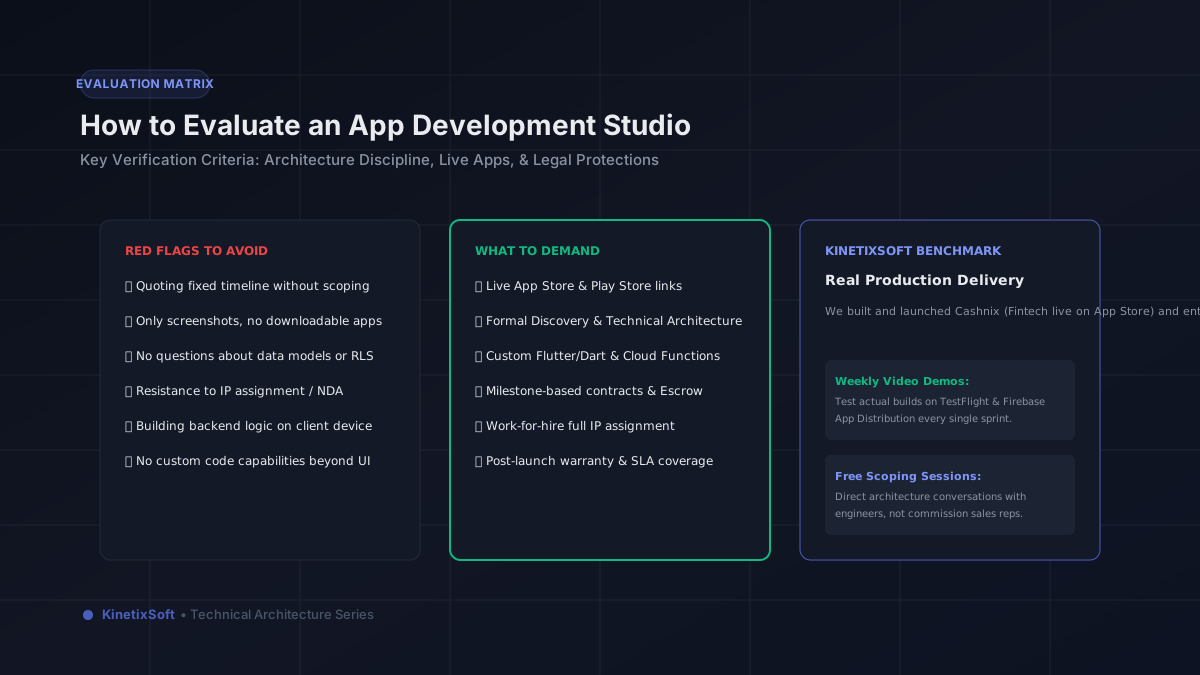
Securing client-driven low-code mobile apps requires systematic engineering discipline. At KinetixSoft, every app we deliver undergoes a rigorous security rules audit and penetration review before submission to the App Store and Google Play.
Are you preparing to launch a FlutterFlow application with sensitive customer or payment data? Book a free technical security audit with KinetixSoft today.
Planning to build an app like this?
KinetixSoft designs, builds, and launches production-grade mobile and web applications on FlutterFlow, Bubble, Retool, Lovable, and Podio. We deliver 40–60% faster and more affordably than traditional agencies.
Book a Free Scoping CallRelated Guides & Articles
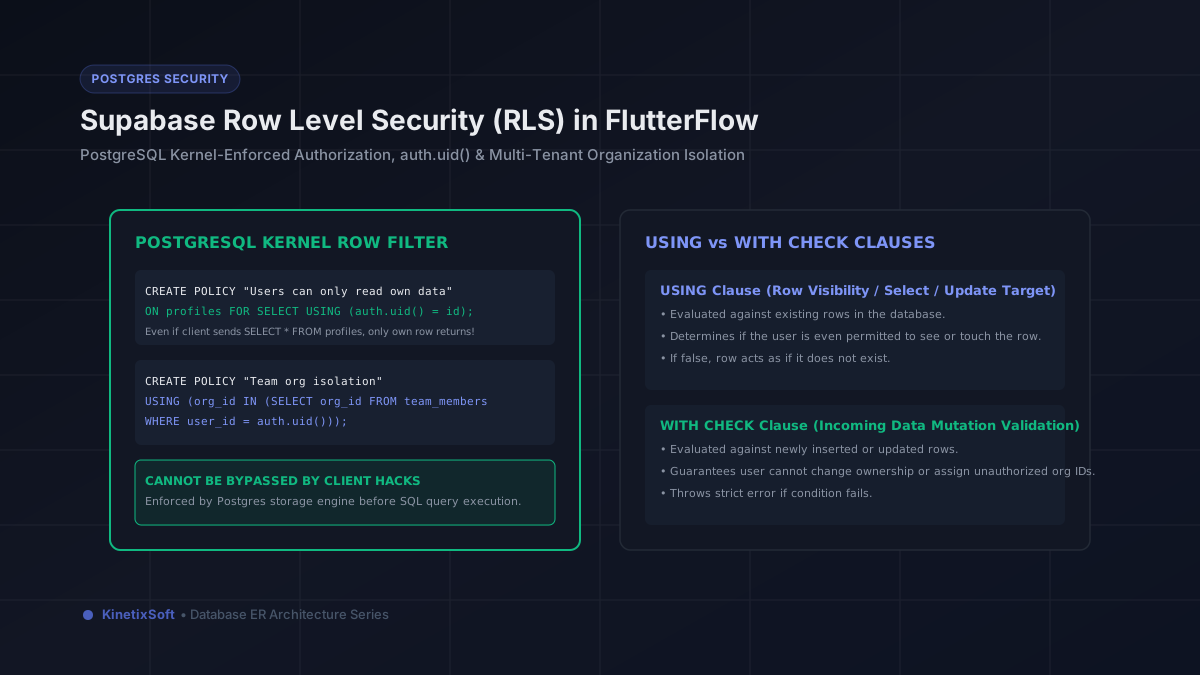
Supabase Row Level Security (RLS) in FlutterFlow: The Comprehensive Engineering Guide
How to Build a Wellness App with FlutterFlow in 2026: Architecture, Features & Use Cases