Retool vs Custom-Built Internal Tools: Which Is Right for Your Team in 2026?

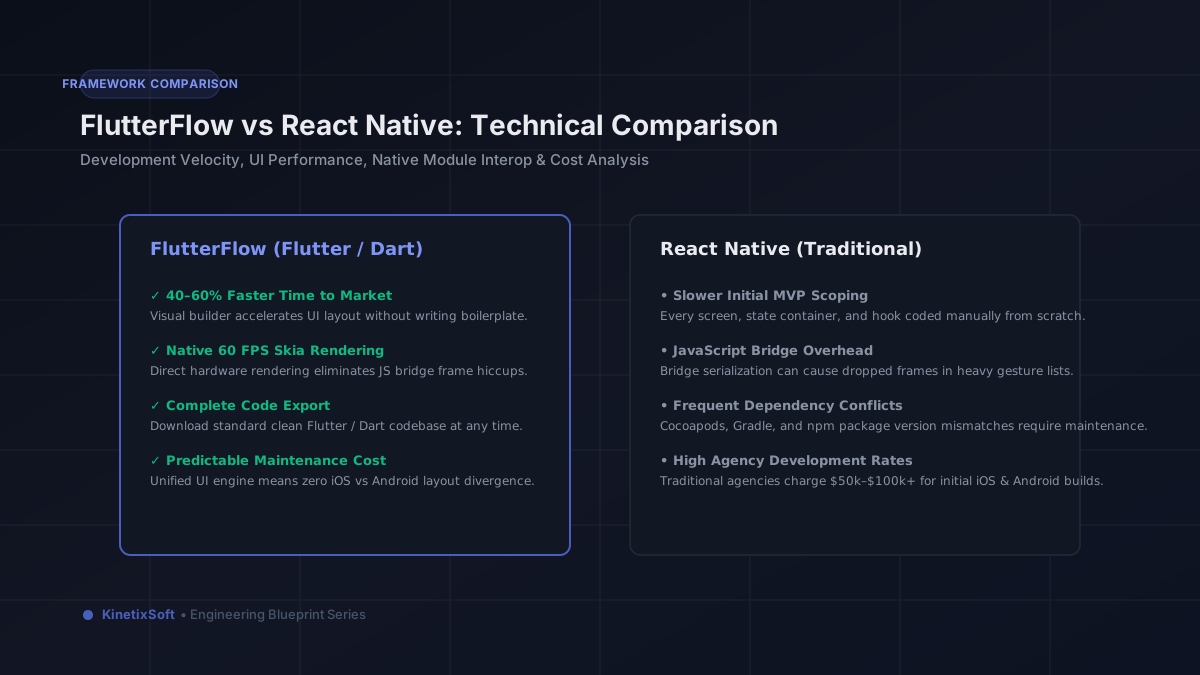
Internal tools are often the highest-ROI software investment a company can make. A good ops dashboard or admin panel that replaces manual SQL queries and spreadsheet workflows can save a team hours per day — compounding across the whole team, every day. The question is whether to build that tool in Retool or build it custom. This post gives you the honest framework for that decision.
Why internal tools are often the most valuable thing a company can build
External products are visible to customers and investors — so they get attention and budget. Internal tools are invisible to everyone except the people whose daily work they affect. That invisibility creates an underinvestment problem: teams spend months manually running SQL queries, copying data between spreadsheets, or waiting for engineers to generate reports that could be self-serve. Every hour spent on this kind of manual work is an hour not spent on the things that actually grow the business.
The ROI on a well-built internal tool is often absurd. A Retool dashboard that takes two weeks to build and saves an ops team of 5 people 2 hours per day pays for itself in less than a month and continues paying back indefinitely.
What Retool is and what it does well
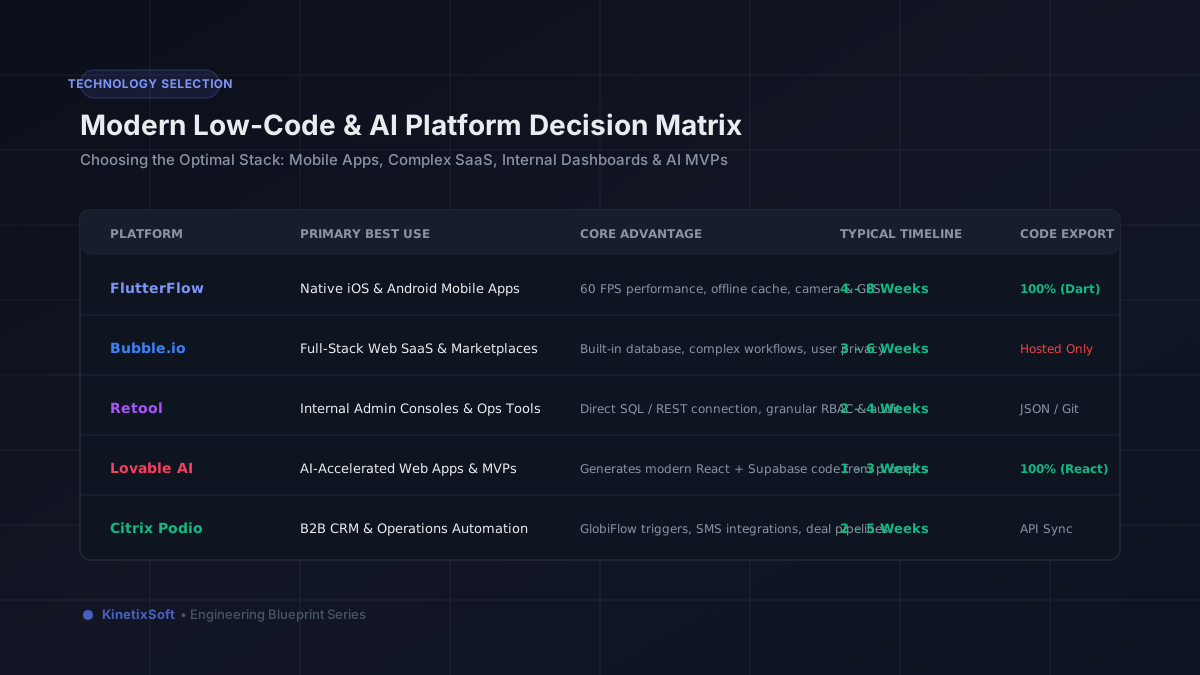
Retool is a visual builder for internal tools. It connects directly to your databases (PostgreSQL, MySQL, MongoDB, Supabase, Firebase) and APIs, and lets you build dashboards, admin panels, and operational interfaces quickly without building a full application from scratch. Retool handles the infrastructure — hosting, authentication, permissions — so you can focus on the interface and queries.
Retool excels at: read-heavy dashboards that display database data in tables, charts, and cards. Write operations like approving records, updating statuses, and triggering actions. Multi-step operational workflows like claim review, order management, and user lookup. Reports that operations teams would otherwise generate by running SQL queries manually.
What custom internal tools do better
Custom internal tools win when the tool needs highly specific UX that Retool's component library can't deliver. They also win when the business logic is complex enough that Retool's query and transform layer becomes unwieldy — when you have more JavaScript transform functions than actual components, you're fighting the tool. And they win when the tool needs to be white-labeled or distributed externally, which Retool isn't designed for.
Custom tools also win on vendor risk: Retool's pricing has changed significantly over the years, and companies that have deeply integrated Retool into their operations have found themselves subject to pricing changes they can't easily escape. A custom tool owned entirely by the company has no such dependency.
Side-by-side comparison
Time to first version: Retool (1–2 weeks) vs Custom (3–8 weeks)
Cost to build: Retool ($1,000–$5,000) vs Custom ($5,000–$25,000+)
Ongoing platform cost: Retool ($10–$65/user/month) vs Custom (infrastructure only, $20–$200/month)
Flexibility: Custom wins — anything is possible
Maintenance: Retool (platform handles updates) vs Custom (team owns all updates)
Long-term ownership: Custom wins — no vendor dependency
When to choose Retool
Choose Retool when you need a working internal tool fast and your use case fits its strengths: connecting to existing data, displaying it in standard formats, enabling simple write operations. Most ops dashboards, support tools, admin panels, and user management interfaces fit this profile perfectly. The build is fast, the cost is low, and the result solves the problem.
When to choose custom
Choose custom when the tool is central to your product's competitive differentiation and needs to be fully owned. When the UX requirements are specific enough that Retool's component library constrains the user experience your team needs. When Retool's per-user pricing at your team size makes it cheaper to build and host custom. Or when the tool needs to serve external users — Retool is designed for internal teams, not customer-facing interfaces.
A real example: ClaimDesk
We built ClaimDesk as a Retool-based internal tool for an insurance operations team. The team had been reviewing claims by running SQL queries and copying results into spreadsheets. The Retool dashboard gave them a purpose-built claims review interface: filter claims by status, display claimant details alongside policy data, approve or reject with one click, and trigger automated email notifications. The result was a 70% reduction in claims review time. Total build time: two weeks. Total build cost: well under the monthly savings in ops team time.
How KinetixSoft builds Retool tools
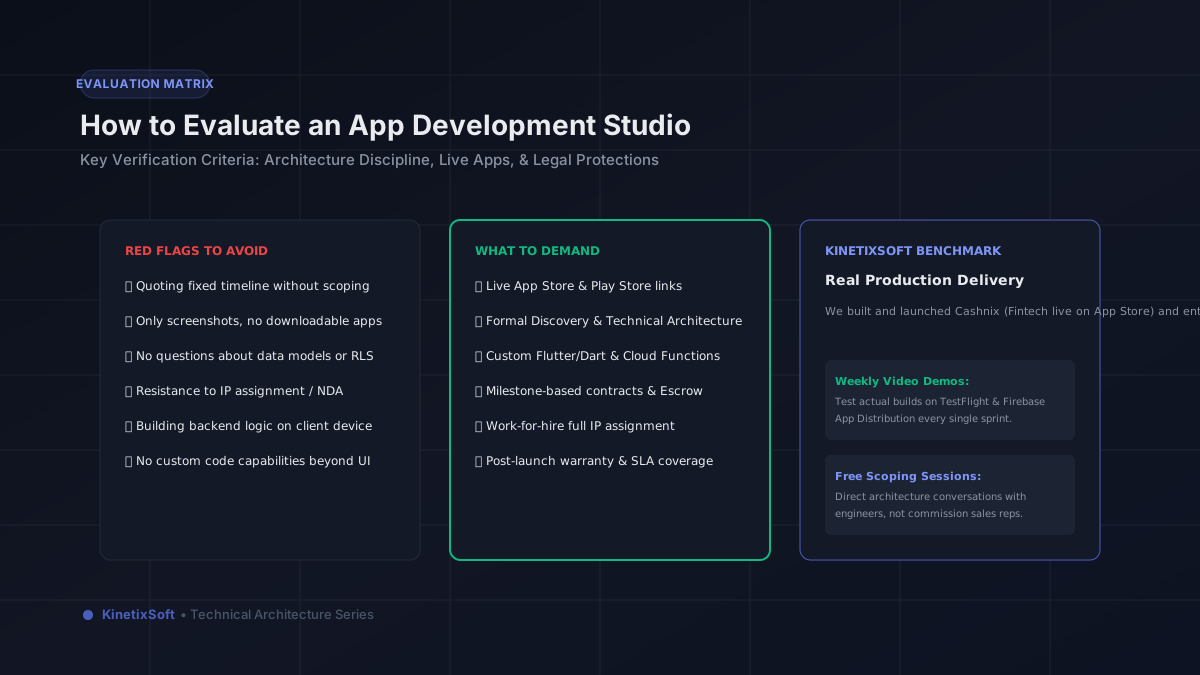
We build Retool tools for clients who know what their team needs but don't have the internal capacity to build it. Our process: requirements interview → database query design → Retool component build → permissions and access control setup → team training and handoff. Most Retool engagements are 1–3 weeks. Get an estimate for your internal tool here.
Related Guides & Blueprints
FlutterFlow vs Bubble vs Lovable: Which One Should You Actually Build On in 2026?
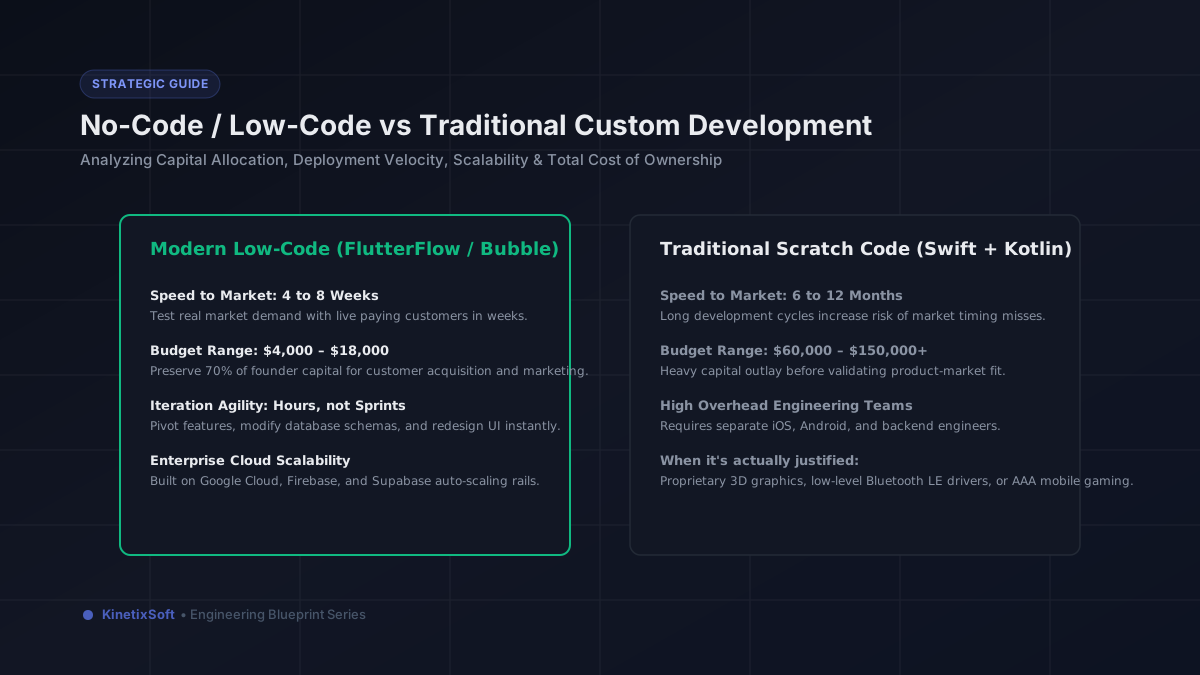
No-Code vs Custom Development: Which Is Right for Your Startup in 2026?